
8
Tips:
Arrange the food pieces so that there is a free flow of hot air between them.
The device has a program memory, if you remove the container (6) during the program, the device will stop,
when you put the container (6) back, it will continue to work.
If the time or temperature is not enough, you can always adjust the time or temperature by pressing the
time/temperature adjustment button (D) and then the F "+", E "-" button to spice up the food.
It is recommended to turn or stir the products at least once during the operation of the selected program.
!!WARNING!!! The inside of the device is very hot
Description of programs:
tes - function (SHAKE)
If the time or temperature is not enough, you can always change the time or temperature by pressing the
time/temperature adjustment button (D), and then the F "+", E "-" button
Chicken wings (2): program used to prepare raw chicken wings.
- function (SHAKE)
If the time or temperature is not enough, you can always change the time or temperature by pressing the
time/temperature control button (D) and then the F "+", E "-" button
Steak (3): program used mainly for thicker cuts of white or red meat.
- function (SHAKE)
If the time or temperature is not enough, you can always change the time or temperature by pressing the
time/temperature control button (D), then the F "+", E "-" button
Fish (4): the program most often used for frozen processed fish or fresh fish.
If the time or temperature is not enough, you can always change the time or temperature by pressing the
time/temperature control button (D), then the F "+", E "-" button
Shrimp (5): best for small seafood such as shrimp.
- function (SHAKE)
If the time or temperature is not enough, you can always change the time or temperature by pressing the
time/temperature control button (D) and then the F "+", E "-" button
French fries (6): program used mainly for frozen French fries.
The machine will auto- function (SHAKE)
If the time or temperature is not enough, you can always change the time or temperature by pressing the
time/temperature control button (D), and then the F "+", E "-" button
Muffins (7): Program used mainly for baking cake and muffins
If the time or temperature is not enough, you can always change the time or temperature by pressing the
time/temperature control button (D), and then the F "+", E "-" button
Tart (8): A program mainly used for preparing mini tarts
- function (SHAKE)
If the time or temperature is not enough, you can always change the time or temperature by pressing the
time/temperature control button (D), then the F "+", E "-" button
Side (9): A program used mainly for thin cuts of bacon.
- function (SHAKE)
If the time or temperature is not enough, you can always change the time or temperature by pressing the
time/temperature control button (D) and then the F "+", E "-" button
CLEANING THE DEVICE
1. Before cleaning the device, unplug it from the power outlet and wait for the device to cool down.
2. Clean using a damp, then dry cloth (or a paper towel).
3. Lubricate more difficult to remove residues with a small amount of edible oil and after a few minutes
gently remove them with a wooden spatula.
4. Do not clean with sharp, abrasive rags or sponges, or use scouring powders, as they can damage the
smooth, non-stick coating of the basket and container.
5. Do not immerse the unit in water.
Technical data:



Приклучете се во разговорот за овој производ
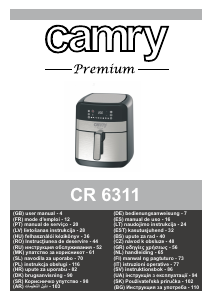
Тука можете да го споделите вашето мислење за Camry CR 6319 Апарат за пржење. Ако имате прашања, најпрво прочитајте го прирачникот. Можете да побарате прирачник ако го употребите нашиот прирачник за контакт.